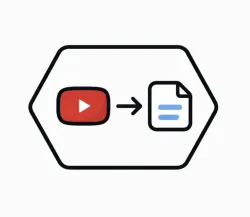
The Fetch YouTube Content Transcription API offers a robust and efficient solution for obtaining detailed transcripts of any compatible YouTube video. By providing direct access to spoken content, the API delivers structured data that includes the full text, timestamps, automatically divided segments, and essential video metadata such as title, duration, detected language, and author. Each response is optimized to be clear, consistent, and easy to integrate, allowing large amounts of content to be processed seamlessly.
The system analyzes the requested video and returns organized blocks of text accompanied by their respective start and end intervals, ensuring accuracy in tracking each fragment. In addition, the API automatically identifies YouTube-generated captions, automatic subtitles, and, where applicable, custom transcripts. All information is delivered in a standardized format that facilitates its use in applications, plugins, dashboards, or automated flows.
Designed for performance and reliability, this API handles requests quickly and stably, maintaining consistent response times even with long videos.
In short, the Fetch YouTube Content Transcription API is a professional tool that allows you to obtain complete, synchronized transcripts that are ready for immediate use.
To use this endpoint, you must specify the URL of a video.
Get Transcription - Endpoint Features
| Object | Description |
|---|---|
Request Body |
[Required] Json |
{"transcription":"Writing code is writing a precise set of instructions a computer or device can understand. It's explaining exactly what you want your computer to do at any given moment. Computers need to know exactly how to react to things like the clicking of a mouse or the pushing of a button. And whatever happens ultimately is happening because of lines of code written by a human programmer. Just about anything with a plug or battery uses code. It's keeping our airplanes in the air. It's allowing you to swipe a credit card. And the computer doesn't know what to do in any given situation. It has to be taught everything. So you can think of a computer programmer explaining to a computer what we want it to do as like trying to give someone directions for how to drive somewhere when they don't even know what a car is. So you can see what kind of complications you'd run into. uh you'd have to not only tell them how to get to where they're going, but you'd also have to give them contingency plans for things like what if there's a traffic jam or what if a truck breaks down in the turn lane. And you'd even need to explain precisely how the steering wheel or gas pedal works. So that's kind of like a computer programmer writing code for a computer. They have to basically teach it everything every time. To understand that communication and how this process even started, you have to go back to the industrial revolution where the first computer program was invented in 1801 by a guy named Joseph Jakard. He developed a system of weaving instructions or code for his sewing looms that could be stored on cards with holes. And there was a mechanism that would go along the card and try to push a pin through. And so either the pin would go through or it wouldn't. It's binary. It's either it does or it doesn't. it's a one or it's a zero. And so if the pin goes through the hole, it would allow a rod attached to it to lift, which lifts the string and lifts the associated thread. And if the pin does not go through a hole, the pin doesn't move and the thread doesn't move. So essentially, the card would hold a preset pattern that is read by the loom and serves as a guide, giving the direction to the threads one at a time. And with this contraption, you could create very fancy pieces of weaving. And this idea of there being recorded information read by a machine was quickly borrowed to be applied to mathematical computation. Charles Babage invented the analytical engine in 1837 and it was basically a calculating machine. Eventually transistors are invented which replace punch cards as a way of transferring data. And nowadays, we use computers that have billions and billions of transistors, but still carrying that same basic idea of on and off to carry data. As a way of harnessing these various combinations of transistors, we use code. Computer programmers use different languages, whether it's Python for gaming, Java for desktop applications, or Objective C for an iPhone app. A computer program is only a text file following those rules and it's eventually translated into something the computer can understand. Just like the pins on Jakard's loom, a computer can only understand two things. Think of one and zero as the alphabet of a computer. It's like if you look at the alphabet of the English language, there's only 26 letters and by themselves, they're meaningless. But when you combine them into different ways, you get the Great Gatsby or Romeo and Juliet. In the same way, billions of different combinations of ones and zeros have the potential to give us Microsoft Word or iTunes. And the process goes like this. On the top level, you have a human writing code for a specific computer language. And after this, the code is translated or compiled into a low-level language by a tool called a compiler. And finally, the code is translated into binary or machine language by an assembler. So because we have a way of translating human orders in the form of code into ones and zeros that a computer can understand after that it's really just a matter of what you want the computer to do. And it's like being a chef writing a recipe because both chefs writing recipes and computer programmers writing code both have the ability to create something awesome using the resources and tools available. [Music] [Music]"}
curl --location --request POST 'https://zylalabs.com/api/11457/fetch+youtube+content+transcription+api/21618/get+transcription' --header 'Authorization: Bearer YOUR_API_KEY'

--data-raw '{
  "url": "https://www.youtube.com/watch?v=N7ZmPYaXoic"
}'
| Header | Description |
|---|---|
Authorization
|
[Required] Should be Bearer access_key. See "Your API Access Key" above when you are subscribed. |
No long-term commitment. Upgrade, downgrade, or cancel anytime. Free Trial includes up to 50 requests.
The API returns detailed transcripts of YouTube videos, including synchronized text, timestamps for each segment, and essential video metadata such as title, duration, author, and detected language.
Key fields in the response include `videoId`, `videoTitle`, `duration`, `author`, and a `caption` object that contains segments with `start`, `end`, and `text` attributes for each transcript segment.
The response is structured in JSON format, with a top-level object containing a status flag, video metadata, and a nested `caption` object that holds an array of transcript segments, each with its own timing and text.
The API provides information such as the full transcript text, timestamps for each segment, video title, duration, author, and the detected language of the video, allowing for comprehensive analysis.
Users can customize requests by specifying the `videoId` of the YouTube video they want to transcribe. Additional parameters may be included in future updates to refine the output, but currently, the primary focus is on the video ID.
Data accuracy is maintained by leveraging YouTube's own captioning system, which includes automatic subtitles and custom transcripts. The API processes this data to ensure reliable and synchronized output.
Typical use cases include creating subtitles for videos, conducting content analysis, developing educational tools, and automating workflows that require text extraction from video content.
Users can utilize the returned data by integrating it into applications for search functionality, creating dashboards for video analytics, or automating content generation based on the transcribed text and metadata.
To obtain your API key, you first need to sign in to your account and subscribe to the API you want to use. Once subscribed, go to your Profile, open the Subscription section, and select the specific API. Your API key will be available there and can be used to authenticate your requests.
You can’t switch APIs during the free trial. If you subscribe to a different API, your trial will end and the new subscription will start as a paid plan.
If you don’t cancel before the 7th day, your free trial will end automatically and your subscription will switch to a paid plan under the same plan you originally subscribed to, meaning you will be charged and gain access to the API calls included in that plan.
The free trial ends when you reach 50 API requests or after 7 days, whichever comes first.
No, the free trial is available only once, so we recommend using it on the API that interests you the most. Most of our APIs offer a free trial, but some may not include this option.
Yes, we offer a 7-day free trial that allows you to make up to 50 API calls at no cost, so you can test our APIs without any commitment.
Zyla API Hub is like a big store for APIs, where you can find thousands of them all in one place. We also offer dedicated support and real-time monitoring of all APIs. Once you sign up, you can pick and choose which APIs you want to use. Just remember, each API needs its own subscription. But if you subscribe to multiple ones, you'll use the same key for all of them, making things easier for you.
Service Level:
100%
Response Time:
20,003ms
Service Level:
100%
Response Time:
1,360ms
Service Level:
100%
Response Time:
657ms
Service Level:
100%
Response Time:
1,827ms
Service Level:
100%
Response Time:
11,754ms
Service Level:
100%
Response Time:
4,742ms
Service Level:
97%
Response Time:
3,086ms
Service Level:
100%
Response Time:
1,099ms
Service Level:
100%
Response Time:
2,985ms
Service Level:
100%
Response Time:
4,831ms
Service Level:
100%
Response Time:
1,824ms
Service Level:
100%
Response Time:
2,084ms
Service Level:
100%
Response Time:
1,766ms
Service Level:
100%
Response Time:
1,900ms
Service Level:
99%
Response Time:
1,798ms
Service Level:
100%
Response Time:
1,693ms
Service Level:
100%
Response Time:
1,524ms
Service Level:
98%
Response Time:
3,697ms
Service Level:
100%
Response Time:
2,568ms
Service Level:
100%
Response Time:
1,050ms