
Enhance image colors with our Image Color Enhancement API, which intelligently adjusts saturation, brightness, contrast, and more.
{"data":{"image_url":"https:\/\/ai-result-rapidapi.ailabtools.com\/image\/enhanceImageColor\/2024-06-29\/081751-cc8dcd4f-7173-c6ad-beb4-1f4227949ac8-1719649071.png"},"error_code":0,"error_detail":{"status_code":200,"code":"","code_message":"","message":""},"log_id":"7F39D6BE-6E05-51FE-A993-1141311D1D95","request_id":"7F39D6BE-6E05-51FE-A993-1141311D1D95"}
    curl --location 'https://zylalabs.com/api/4429/image+color+enhancement+api/5443/image+color+enhancement?mode=Required&output_format=Required' \
    --header 'Content-Type: application/json' \
    --form 'image=@"FILE_PATH"'
After signing up, every developer is assigned a personal API access key, a unique combination of letters and digits provided to access to our API endpoint. To authenticate with the Image Color Enhancement API simply include your bearer token in the Authorization header.
| Header | Description |
|---|---|
Authorization
|
Required
Should be Bearer access_key. See "Your API Access Key" above when you are subscribed.
|
No long-term commitment. Upgrade, downgrade, or cancel anytime.
Our Image Color Enhancement API utilizes intelligent content analysis to automatically adjust and optimize various parameters of your images, such as saturation, brightness, and contrast. By analyzing the content of each image, this API applies precise adjustments to enhance the overall visual appeal, resulting in vibrant and well-balanced photos. Ideal for photographers, graphic designers, and digital marketers, this tool ensures your images stand out with improved color dynamics and clarity. Integrate our Image Color Enhancement API into your workflow to achieve consistently stunning results, effortlessly enhancing the quality and attractiveness of your visuals. Perfect for use in social media, advertising, and any platform where high-quality imagery is essential.
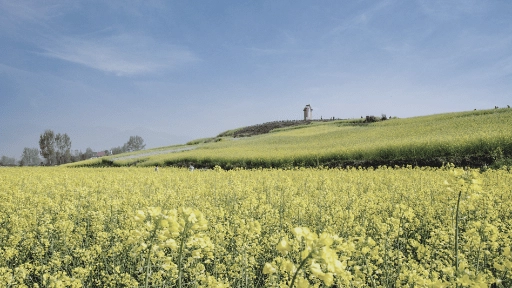
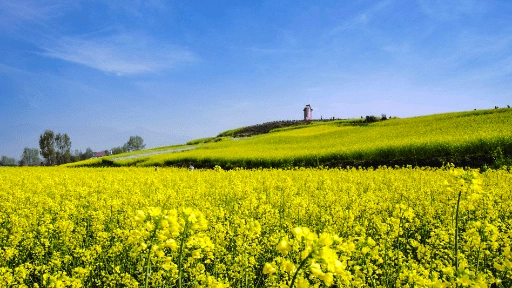
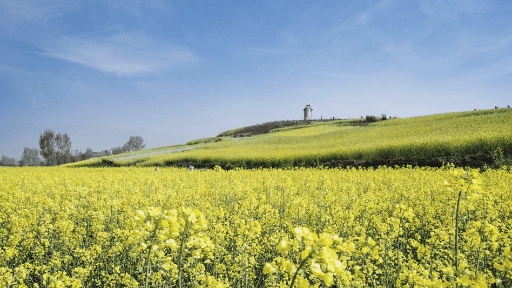
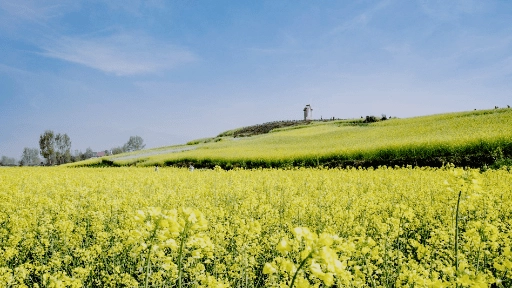
Our Image Color Enhancement API utilizes intelligent content analysis to automatically adjust and optimize various parameters of your images, such as saturation, brightness, and contrast. By analyzing the content of each image, this API applies precise adjustments to enhance the overall visual appeal, resulting in vibrant and well-balanced photos. Ideal for photographers, graphic designers, and digital marketers, this tool ensures your images stand out with improved color dynamics and clarity. Integrate our Image Color Enhancement API into your workflow to achieve consistently stunning results, effortlessly enhancing the quality and attractiveness of your visuals.
Photography: Enhancing the colors in photos to make them more vibrant and visually appealing. E-commerce: Improving the color quality of product images to make them more attractive to potential buyers. Graphic Design: Enhancing the colors of images used in design projects to ensure they look dynamic and professional. Advertising and Marketing: Creating visually striking images for advertisements and marketing materials. Printing: Ensuring high-quality, color-rich prints for brochures, posters, and other print media. Social Media: Making images more eye-catching for social media posts by enhancing their colors.
Improved Visual Appeal: Enhances the overall look of images, making them more vibrant and visually striking. Versatility: Applicable to various fields, including photography, e-commerce, graphic design, medical imaging, advertising, printing, social media, and video production. Enhanced Color Accuracy: Corrects and improves color balance, making images more true-to-life. Real-Time Processing: Capable of enhancing image colors in real time, useful for applications like live video editing and streaming. Professional Results: Provides high-quality, professional-looking images suitable for various uses, including commercial and personal projects.
The API returns a JSON response containing the processed image's URL along with metadata about the request, including request ID, log ID, and error codes if applicable. The key field in the response is `data`, which includes `image_url` for accessing the enhanced image.
The key fields in the response data include `request_id`, `log_id`, `error_code`, `error_msg`, and `data`. The `data` field contains the `image_url`, which provides the link to the enhanced image.
The endpoint accepts three required parameters: `image` (the image file), `output_format` (either 'png' or 'jpg'), and `mode` (options include 'LogC', 'Rec709', or 'ln17_256') to specify the enhancement approach.
The response data is organized in a JSON structure with top-level fields for request metadata and a nested `data` object containing the `image_url`. This structure allows easy access to both the status of the request and the resulting image.
Typical use cases include enhancing product images for e-commerce, beautifying photos for social media, improving graphics for advertising, and refining images for graphic design projects. The API is versatile for any scenario requiring color enhancement.
Users can customize their requests by selecting the `output_format` and `mode` parameters based on their specific needs. For example, choosing 'Rec709' for general images or 'LogC' for low-contrast raw images allows tailored enhancements.
The returned data is in JSON format, structured with fields for request metadata and a nested `data` object. The `data` object specifically contains the `image_url`, which links to the enhanced image, ensuring clarity and ease of use.
Users can utilize the returned `image_url` to download or display the enhanced image in their applications. It’s important to note that the URL is temporary and valid for 24 hours, so timely access is essential for long-term use.
To obtain your API key, first sign in to your account and navigate to the API you want to use. From the API's Pricing section, choose a plan and complete the subscription process. Once subscribed, return to the API page and you will see your API Access Key displayed at the top of the documentation page. You can use this key to authenticate your requests.
You can’t switch APIs during the free trial. If you subscribe to a different API, your trial will end and the new subscription will start as a paid plan.
The free trial lasts for 7 days and allows you to make up to 50 API requests.
No, the free trial is available only once, so we recommend using it on the API that interests you the most. Most of our APIs offer a free trial, but some may not include this option.
Yes. If the API offers a free trial, you will see a "Free 7-Day Trial" option in its Pricing section. The trial lasts for 7 days and allows up to 50 API requests, enabling you to evaluate the API before subscribing to a paid plan.
Zyla API Hub is like a big store for APIs, where you can find thousands of them all in one place. We also offer dedicated support and real-time monitoring of all APIs. Once you sign up, you can pick and choose which APIs you want to use. Just remember, each API needs its own subscription. But if you subscribe to multiple ones, you'll use the same key for all of them, making things easier for you.
You can monitor your API usage through the response headers included with every request:
x-zyla-api-calls-monthly-used: Shows the total number of API requests you have used during the current billing period.
x-zyla-api-calls-monthly-remaining: Shows the number of API requests you have remaining for the current billing period.
Yes, you can cancel your subscription at any time. Simply go to the Pricing section of the API you're subscribed to and click the "Unsubscribe" button.
Please note that upgrades, downgrades, and cancellations take effect immediately. Once your subscription is canceled, access to the service will end immediately, regardless of any remaining API calls in your quota.
Please have a look at our Refund Policy: https://zylalabs.com/terms#refund


 Run in Postman







