
Automatically transcribe YouTube videos into accurate, readable text, making spoken content searchable, accessible, and easier to analyze, summarize, or reuse.
{
    "transcription": "I took a page out of your favorite book you saw me last just by the way you look Tau me a language that I never speak baby that ain't for me that that ain't for me I dug my grave watching where you move you took me higher than I ever flew too many times gave you a second chance baby I'm just a man I'm I'm just a man no for thinking about you late night no for running around with your friends now the picking the pieces of my soul about the floor I said I would die for you baby but I can't take this ble for I thought I was willing but tonight I save my life when I showed you the door I don't want to lose you baby but I can't play this game no more I'm thought it would kill me but tonight I save my life when I show to the door you never thought this day would ever come when I looked you in the eyes and P up you try to take away my sanity baby that ain't for me that that ain't for me oh no for thinking about you late night no for running around with your friends now the picking the pieces of my so come out the floor oh I said I would die for you baby but I can't take this pain no more I thought I was willing but tonight I save my life when I showed you to door I don't want to lose you baby but I can't play this game no more I thought it would kill me but tonight I sa my life when I so to the door when I show you the door when I show you the door but tonight I sa my life I said I would die for you baby but I can't take this pain no more I thought I was willing but tonight I save my life when I show you to door I don't want to lose you baby lose you but I can't take this game I thought it would kill me but tonight I save my life when I show you the door [Music]"
}
curl --location --request POST 'https://zylalabs.com/api/13550/youtube+transcriber+api/30109/transcribe' --header 'Authorization: Bearer YOUR_API_KEY'

--data-raw '{
  "url": "https://www.youtube.com/watch?v=VSXT4a2kRHA"
}'
After signing up, every developer is assigned a personal API access key, a unique combination of letters and digits provided to access to our API endpoint. To authenticate with the YouTube Transcriber API simply include your bearer token in the Authorization header.
| Header | Description |
|---|---|
Authorization
|
Required
Should be Bearer access_key. See "Your API Access Key" above when you are subscribed.
|
No long-term commitment. Upgrade, downgrade, or cancel anytime.
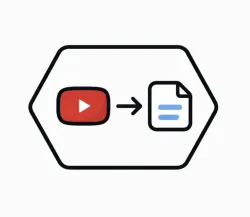
The YouTube Transcription API offers a simple way to convert spoken content from YouTube videos into text. By processing a YouTube video and extracting the spoken information, the API allows users to obtain transcripts without having to watch or manually transcribe the content.
The API is designed for applications that need to work with video data at scale. Instead of manually processing an entire video, users can submit a reference to a YouTube video and receive its spoken content in the form of a structured transcript. It’s easy to integrate into existing applications and workflows, and requires minimal development effort to start processing video content programmatically. Its simple integration makes it suitable for users who build content platforms, research tools, multimedia applications, educational solutions, and automated workflows that require reliable access to video transcripts.
The Transcribe endpoint returns a structured text transcript of the spoken content from a specified YouTube video. The output includes the full transcription of the audio, making it easy to read and analyze.
The primary field in the response data is "transcription," which contains the complete text of the spoken content from the video. This field provides users with the entire transcript for further processing or analysis.
The response data is organized in a JSON format, with the transcription provided as a single string under the "transcription" key. This structure allows for straightforward parsing and integration into applications.
The Transcribe endpoint provides information in the form of text transcripts derived from the audio of YouTube videos. This includes dialogue, narration, and any spoken content present in the video.
Typical use cases include creating searchable video content, generating subtitles, enhancing accessibility for hearing-impaired users, and analyzing video content for research or educational purposes.
Data accuracy is maintained through advanced speech recognition algorithms that process the audio content. Continuous improvements and updates to the transcription models help enhance the quality of the transcriptions over time.
Users can customize their requests by specifying the YouTube video URL they wish to transcribe. This allows for targeted transcriptions based on specific video content relevant to their needs.
Users can expect the transcription to reflect the spoken content in a coherent and readable format. However, variations in audio quality, accents, or background noise may affect the clarity of the transcription.
To obtain your API key, first sign in to your account and navigate to the API you want to use. From the API's Pricing section, choose a plan and complete the subscription process. Once subscribed, return to the API page and you will see your API Access Key displayed at the top of the documentation page. You can use this key to authenticate your requests.
You can’t switch APIs during the free trial. If you subscribe to a different API, your trial will end and the new subscription will start as a paid plan.
The free trial lasts for 7 days and allows you to make up to 50 API requests.
No, the free trial is available only once, so we recommend using it on the API that interests you the most. Most of our APIs offer a free trial, but some may not include this option.
Yes. If the API offers a free trial, you will see a "Free 7-Day Trial" option in its Pricing section. The trial lasts for 7 days and allows up to 50 API requests, enabling you to evaluate the API before subscribing to a paid plan.
Zyla API Hub is like a big store for APIs, where you can find thousands of them all in one place. We also offer dedicated support and real-time monitoring of all APIs. Once you sign up, you can pick and choose which APIs you want to use. Just remember, each API needs its own subscription. But if you subscribe to multiple ones, you'll use the same key for all of them, making things easier for you.
You can monitor your API usage through the response headers included with every request:
x-zyla-api-calls-monthly-used: Shows the total number of API requests you have used during the current billing period.
x-zyla-api-calls-monthly-remaining: Shows the number of API requests you have remaining for the current billing period.
Yes, you can cancel your subscription at any time. Simply go to the Pricing section of the API you're subscribed to and click the "Unsubscribe" button.
Please note that upgrades, downgrades, and cancellations take effect immediately. Once your subscription is canceled, access to the service will end immediately, regardless of any remaining API calls in your quota.
Please have a look at our Refund Policy: https://zylalabs.com/terms#refund






 Run in Postman







