If you are reading this, your Apify bill was probably higher than you expected: a scraper run that cost more than the estimate, credits that ran out halfway through the month, or an actor that stopped working while you were still paying for it. This guide breaks down Apify pricing in 2026 (plans, compute units, proxies and pay-per-event actors) and compares it with Zyla API Hub on what costs you money and time. Every Apify fact comes from its own pricing page, terms and docs, with the date we checked it.
Quick comparison: Apify vs Zyla API Hub
| Apify | Zyla API Hub | |
|---|---|---|
| What you buy | A scraping platform: prepaid usage credit, spent on actors, compute, proxies and storage | A subscription to each API, with a fixed monthly quota of requests |
| What drives the bill | Results or events per actor, plus compute units, proxies and storage, depending on the actor | The plan price. Extra requests only under Soft Limit, at a price shown on the plan. |
| Who builds the tools | Apify and thousands of community developers on the Apify Store | Mostly built and run by Zyla in-house |
| Who answers when it breaks | For community actors, the developer. Apify’s Terms: actors “are not part of the Services provided by Apify.” | Zyla, for every API in the catalog |
| Running out mid-month | Free plan: blocked. Paid plans: overage until the usage limit you set in billing. | Soft Limit: up to one extra quota at the listed price, then it stops. You can turn it off. |
| Unused allowance | Prepaid credit “disappears at the end of the billing cycle” | Unused requests do not carry over either |
| Refunds | Fees are “non-cancellable, non-refundable” (Terms §7.4). Compensation is paid as credits. | Handled by Zyla support |
| Best for | Custom crawling of any website, and workflows you build yourself | Standard data (maps, social, sports, finance, vehicles…) through a ready-made REST API |
Apify vs Zyla API Hub: pricing comparison
Here is a real, like-for-like case: Google Maps business data. It is one of the most-searched uses of Apify, and the Google Maps Scraper on Apify is one of its most popular actors (45,000 monthly users on 22 October 2026). On Zyla, the same job is done by the Google Maps API.
| Google Maps Scraper on Apify | Google Maps API on Zyla | |
|---|---|---|
| How it is priced | Per place scraped: $4.00 (Free), $3.00 (Starter), $2.00 (Scale) or $1.50 (Business) per 1,000 places | $24.99 a month for 100,000 requests. One search returned 20 places in our test. |
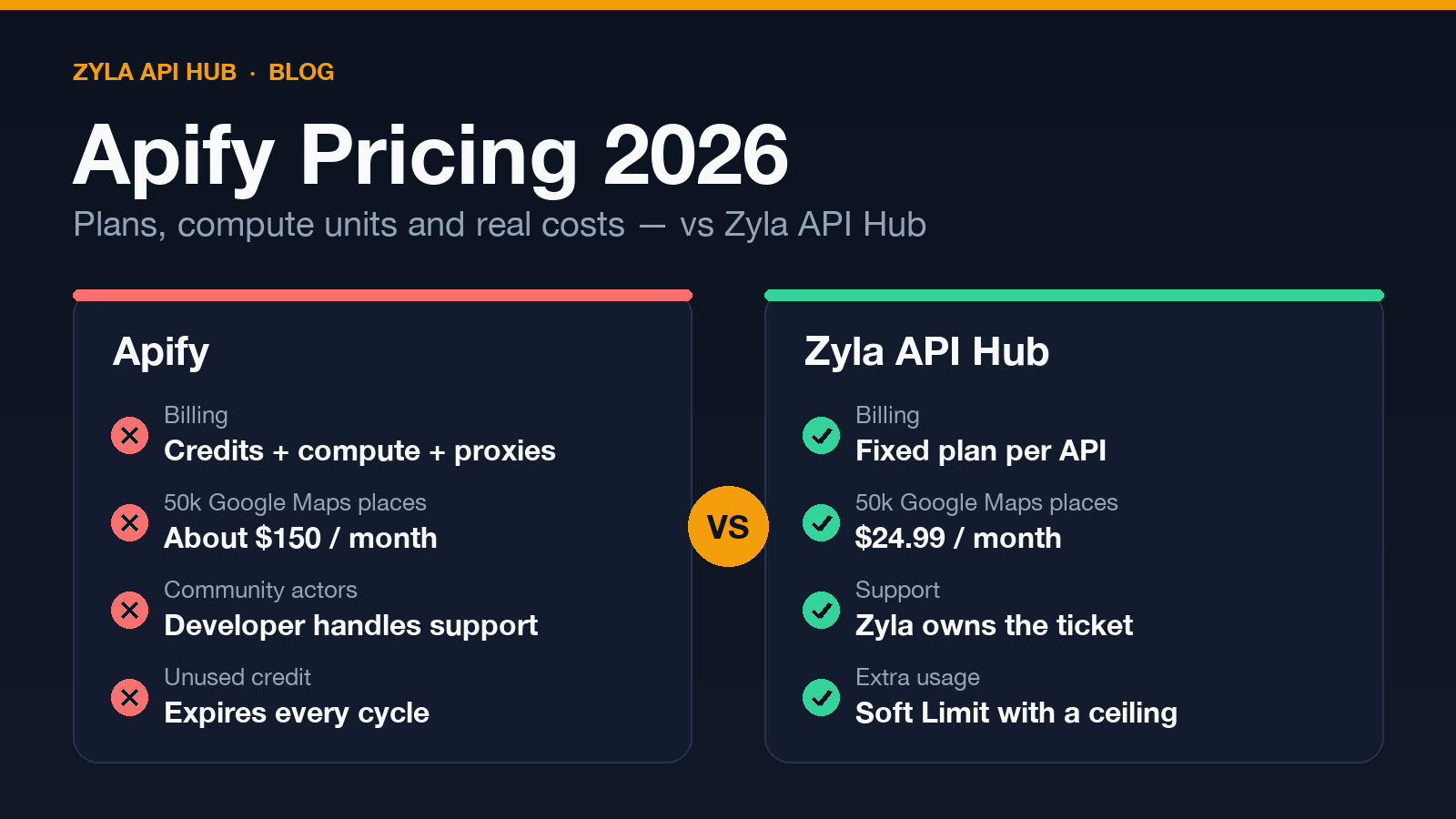
| 50,000 places a month | About $150 on Starter ($19 plan, with the rest billed as usage) | $24.99 (2,500 requests at 20 places each) |
| Cost per 1,000 places | $1.50–$4.00, depending on your plan | About $0.0125 at 20 places per request (and $0.25 even at one place per request) |
| Extras | Reviews, contact enrichment and email verification are paid add-ons | Reviews, photos and place details are separate endpoints of the same API, counted as requests |
| Throughput | Parallel cloud runs | 120 requests per minute on the Basic plan |
For 50,000 places a month, that is about 6 times less on Zyla, and the gap grows with volume. Read the table fully, though. The two tools do not return exactly the same fields, and Apify’s paid add-ons (emails, social profiles, verified contacts) have no one-click equivalent in a single Zyla call. If you need those enrichments or very high parallel throughput, factor them in. Zyla is not cheaper for every kind of data, so compare the exact job you run.
Want to run the same numbers for the data you scrape today? Search the Zyla catalog and compare the plans.
This is the real response from our test on 22 October 2026 (one of the 20 places, trimmed):
curl --location --request GET 'https://zylalabs.com/api/10107/google-maps-api/19301/search?query=coffee%20shops%20in%20Austin,%20TX&limit=20' --header 'Authorization: Bearer YOUR_API_KEY'{
"status": "ok",
"data": [
{
"name": "Flora Coffee & Culture",
"full_address": "Flora Coffee & Culture, 3300 W Anderson Ln. Ste 300, Austin, TX 78757",
"website": "http://floracoffee.co/",
"rating": 4.9,
"review_count": 413,
"latitude": 30.362347,
"longitude": -97.7421123,
"place_id": "ChIJK_G24QHrRIYRFsqJnuQaKv0",
"types": ["Coffee shop"]
}
]
}How Apify pricing works
Apify plans: Free, Starter, Scale and Business
According to the Apify pricing page (22 October 2026), every plan is prepaid usage credit that you spend on the platform:
| Plan | Price | Usage credit included | Compute unit price |
|---|---|---|---|
| Free | $0 | $5 a month | $0.20 |
| Starter | $19 a month ($17 billed yearly) | $19 | $0.20 |
| Scale | $199 a month ($179 billed yearly) | $199 | $0.16 |
| Business | $999 a month ($899 billed yearly) | $999 | $0.13 |
Unused credit “disappears at the end of the billing cycle.” On the Free plan you are blocked until the next cycle when the $5 runs out. On paid plans you keep running and are charged for overage, up to the usage limit you configure in billing.
Apify compute units, proxies and storage
When an actor is billed by platform usage, the cost of a run depends on several meters at once:
- Compute units, which measure memory multiplied by run time: $0.13–$0.20 each, depending on your plan.
- Residential proxies: $7–$8 per GB. SERP proxies: $1.70–$2.50 per 1,000 requests.
- Storage and data transfer: datasets, key-value stores and request queues are billed per GB-hour and per read or write, and external transfer costs $0.20 per GB.
Apify’s own FAQ says the cost of a run depends on proxies, data transfer, memory and run duration. Retries add to it. That is why the same scrape can cost a different amount from one run to the next.
Apify Store actors: pay per event
Most popular actors charge per result or per event. The developer sets the price, and Apify keeps 20% of the actor’s revenue as commission (Apify docs). Two details are easy to miss:
- The headline price is the cheapest one. The “from $X per 1,000” on an actor page is the Business-plan price. On Free or Starter, the same actor can cost up to about 2.7 times more per result.
- Prices are changing. Apify retired rental pricing on 1 October 2026 and is moving actors to pay-per-event (Apify blog, 25 Aug 2026). Users get a 14-day window to review each price change.
Support and reliability: who fixes a broken actor?
On the Apify Store, the company that bills you is usually not the one that maintains the scraper. The Terms say actors “are not part of the Services provided by Apify” (Apify Terms, July 2026, §3.1). The Store Publishing Terms make the developer responsible for keeping an actor working and for answering issues within 14 days. The Apify help center explains that support “cannot evaluate whether a run was successful” on community actors. The developer decides.
Public issue pages show what that looks like in practice:
- A widely used LinkedIn profile actor showed 72 open issues. In one thread, users reported “not a single scrape works” and asked whether to keep waiting after about two weeks with no reply from the developer (public issue on the actor page, late September 2026).
- On the same actor, a recruiting firm reported missing and partial profile data affecting its clients, with no developer response on the page (public issue, September 2026).
- A company-data actor ended runs with “Actor is under maintenance” after the user had paid for a test. It was marked fixed, then reported broken again about a month later (public issue, July 2026).
To be fair, Apify tests Store actors automatically, labels failing ones “under maintenance” and deprecates actors that keep failing. Its most-used actors, such as the Google Maps Scraper, are maintained by Apify itself. The risk is concentrated in community actors.
On Zyla API Hub, support is always Zyla’s job. Most of the catalog is built in-house, every listing shows its average response time, and APIs that keep failing are discontinued. When a listing comes from a third party, Zyla takes it up with the provider for you.
Predictable billing: how Zyla Soft Limit works
On Zyla you pay a fixed price for a fixed number of requests. Compute, proxies and retries are not billed separately. If you go past the quota, Soft Limit keeps your app running for up to one extra quota at a per-request price printed on the plan card. Then requests stop.
A worked example with real prices. The Google Maps API Basic plan includes 100,000 requests for $24.99, and its card lists the extra-request price as $0.0003249. Say you make 120,000 requests in a month:
- The first 100,000 are covered by the plan.
- The next 20,000 keep working under Soft Limit: 20,000 × $0.0003249 = $6.50, billed at the end of the cycle.
- Requests stop at 200,000, so the extra charge on this plan can never exceed about $32.49.
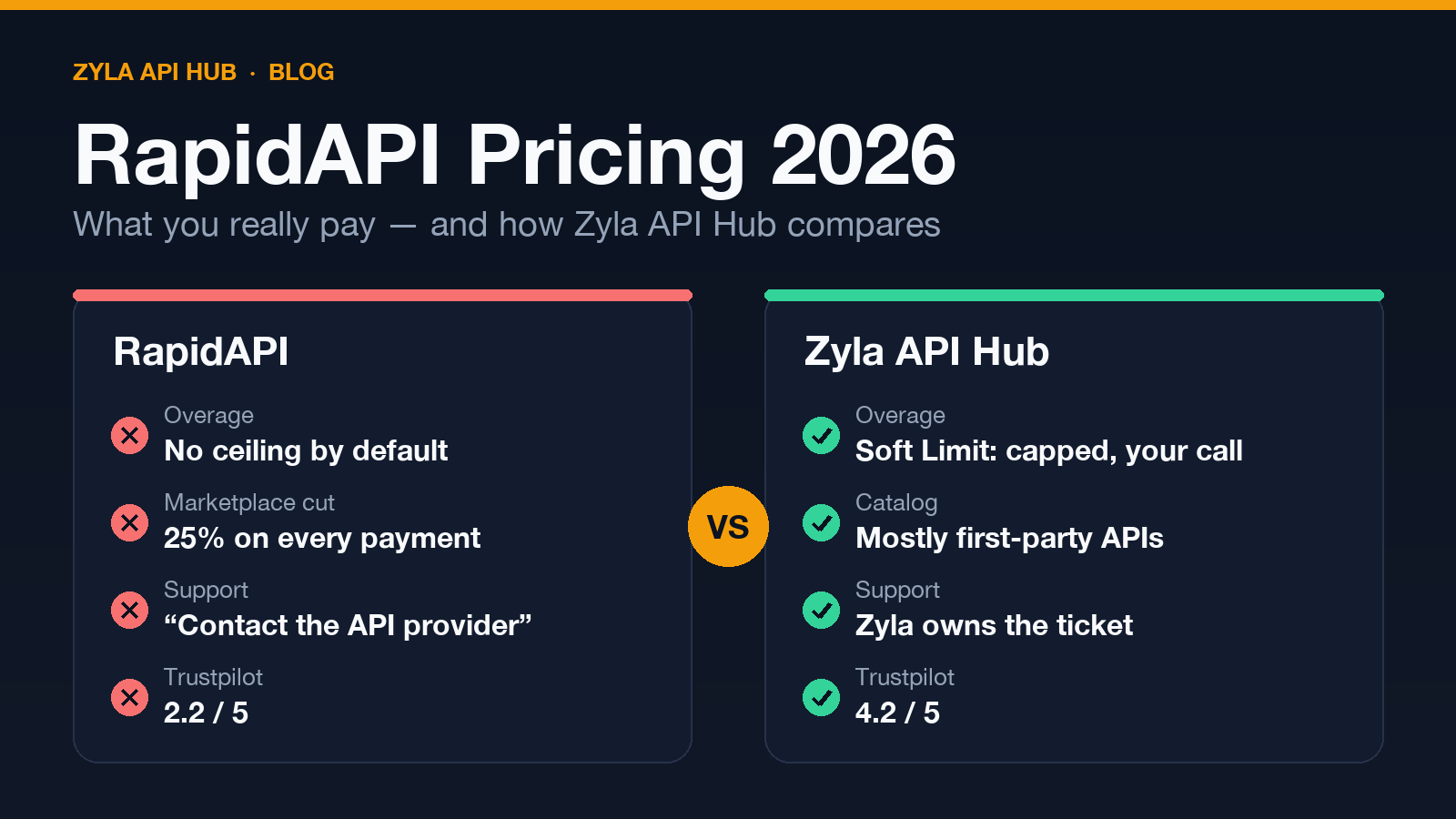
Soft Limit is on by default for paid plans. You can turn it off for any subscription if you prefer a hard stop. Extra requests are not free, and if you keep landing in Soft Limit, a bigger plan is usually the better deal. We explain the same model in more detail in our RapidAPI pricing comparison.
Why developers choose Zyla API Hub as an Apify alternative
- A REST call, not a run. Send a request and get JSON back in the same response. There are no actors to configure and no datasets to poll.
- A price you know before the month starts. The plan sets the bill, without compute units, proxy gigabytes or storage meters on top.
- One team for support. Zyla answers for every API in the catalog, whoever built it.
- One key for everything. The same Bearer key works across all your Hub subscriptions, and over MCP for AI agents at
mcp.zylalabs.com. Your first Hub API comes with a 7-day trial (up to 50 requests).
How to migrate from Apify to Zyla
Moving a scraping workflow to an API changes how you call it, not only where:
- From runs to requests. An Apify actor runs as a job and writes to a dataset. A Zyla API answers each request directly with JSON.
- Authentication. Replace the Apify token with
Authorization: Bearer YOUR_API_KEY. - Inputs. Map the actor’s input fields (search terms, limits, language) to the API’s query parameters, such as
query,limit,offsetandlangon the Google Maps API. - Output fields. Field names differ. Put a small adapter between the API and the rest of your code.
- Pagination. Use
offsetto page through results instead of raising a “max places” setting. - Enrichment. If you rely on Apify add-ons (emails, social profiles), check which Zyla endpoints or APIs cover them, and keep the rest where they are.
- Testing. Run the same searches on the 7-day trial and compare row counts and fields with your last Apify dataset.
- Rollback. Keep the Apify schedule paused rather than deleted until the new pipeline has run for a full cycle.
# Before: Apify actor run (input fields depend on the actor)
import requests
items = requests.post(
"https://api.apify.com/v2/acts/compass~crawler-google-places/run-sync-get-dataset-items",
params={"token": "YOUR_APIFY_TOKEN"},
json={"searchStringsArray": ["coffee shops in Austin, TX"], "maxCrawledPlacesPerSearch": 20},
).json()

# After: Zyla API Hub
r = requests.get(
"https://zylalabs.com/api/10107/google-maps-api/19301/search",
params={"query": "coffee shops in Austin, TX", "limit": 20},
headers={"Authorization": "Bearer YOUR_API_KEY"},
)
places = r.json()["data"]
Endpoints for nearby search, place details, reviews and photos are all in the Google Maps API docs. For business profiles and reviews outside the US, see the Global Places Business Profiles and Reviews API.
Apify or Zyla: which one should you choose?
Choose Apify if you need to crawl arbitrary websites, write your own scrapers, or chain custom workflows. It is a strong platform for that, and Zyla does not try to replace it. Choose Zyla API Hub when the data you need already exists as an API (maps, social profiles, sports, finance, vehicles, and more) and you want a fixed monthly price, a JSON response per request and one support team. For many teams the answer is both: keep Apify for custom crawling and move the standard data feeds to APIs.
Can’t find an API for the data you collect with Apify? Tell us what you need and we’ll help you look for an alternative.
Apify pricing FAQ
How does Apify pricing work?
You buy a plan that includes prepaid usage credit: $5 on Free, $19 on Starter, $199 on Scale or $999 on Business. You spend it on actors, which are priced per result or per event, and on platform usage: compute units, proxies, storage and data transfer. Unused credit expires at the end of each billing cycle.
Is Apify free?
There is a Free plan with $5 of usage credit a month. When it runs out you are blocked until the next billing cycle. Store actors also cost more per result on the Free plan than on paid plans.
What is an Apify compute unit?
A compute unit measures the memory an actor uses multiplied by how long it runs. It costs $0.20 on Free and Starter, $0.16 on Scale and $0.13 on Business (October 2026).
How much does the Apify Google Maps Scraper cost?
On 22 October 2026 it charged $4.00 per 1,000 places on Free, $3.00 on Starter, $2.00 on Scale and $1.50 on Business. Add-ons such as contact enrichment are billed separately.
What happens when I run out of Apify credits?
On the Free plan, runs are blocked until the next cycle. On paid plans, usage continues as overage until the usage limit you set in billing.
Does Apify give refunds?
Its Terms (July 2026) say fees are non-cancellable and non-refundable. When Apify or a developer compensates a failed run, it is usually paid as platform credit.
Is Zyla API Hub cheaper than Apify?
For standard data available as an API, often yes. Fetching 50,000 Google Maps places a month cost about $150 on Apify’s Starter plan and $24.99 on Zyla’s Google Maps API (22 October 2026). For custom crawling of any website, Apify is the better fit.
What are the best Apify alternatives?
It depends on the job. Data APIs such as those on Zyla API Hub replace scrapers for common sources with a fixed monthly price. Self-hosted frameworks suit teams that want to run their own crawlers. Other scraping platforms compete with Apify on custom crawling.
Start with the Google Maps API
Try the Google Maps API on Zyla. Run your own searches on the 7-day trial and compare the output with your Apify runs. Start the 7-day trial →