
Blur faces in images for privacy protection with our Face Blur API, producing desensitized output images.
{"data":{"image_url":"https:\/\/ai-result-rapidapi.ailabtools.com\/faceBody\/blurFace\/2024-06-29\/113419-fb848f5a-d3d1-1029-9825-e8a7d687fbf1-1719660859.jpg","mask_url":"https:\/\/ai-result-rapidapi.ailabtools.com\/faceBody\/blurFace\/2024-06-29\/113419-24adba5c-ffca-e73d-f631-68e6cf07c56f-1719660859.jpg"},"error_code":0,"error_detail":{"status_code":200,"code":"","code_message":"","message":""},"log_id":"5E52E50B-5D82-5DF5-ACF6-0735B768CA76","request_id":"5E52E50B-5D82-5DF5-ACF6-0735B768CA76"}
    curl --location 'https://zylalabs.com/api/4462/face+blur+api/5475/face+blur' \
    --header 'Content-Type: application/json' \
    --form 'image=@"FILE_PATH"'
After signing up, every developer is assigned a personal API access key, a unique combination of letters and digits provided to access to our API endpoint. To authenticate with the Face Blur API simply include your bearer token in the Authorization header.
| Header | Description |
|---|---|
Authorization
|
Required
Should be Bearer access_key. See "Your API Access Key" above when you are subscribed.
|
No long-term commitment. Upgrade, downgrade, or cancel anytime.
The Face Blur API provides an advanced solution for protecting privacy by blurring faces in images. Utilizing cutting-edge image processing technology, this API detects and applies a blur effect to all faces within an input image, ensuring sensitive information is obscured. Ideal for applications in media, surveillance, and content moderation, the Face Blur API helps maintain anonymity and compliance with privacy regulations. Integrate this API into your platform to offer users a reliable tool for automatic face blurring, enhancing privacy protection in their visual content while producing high-quality desensitized output images.

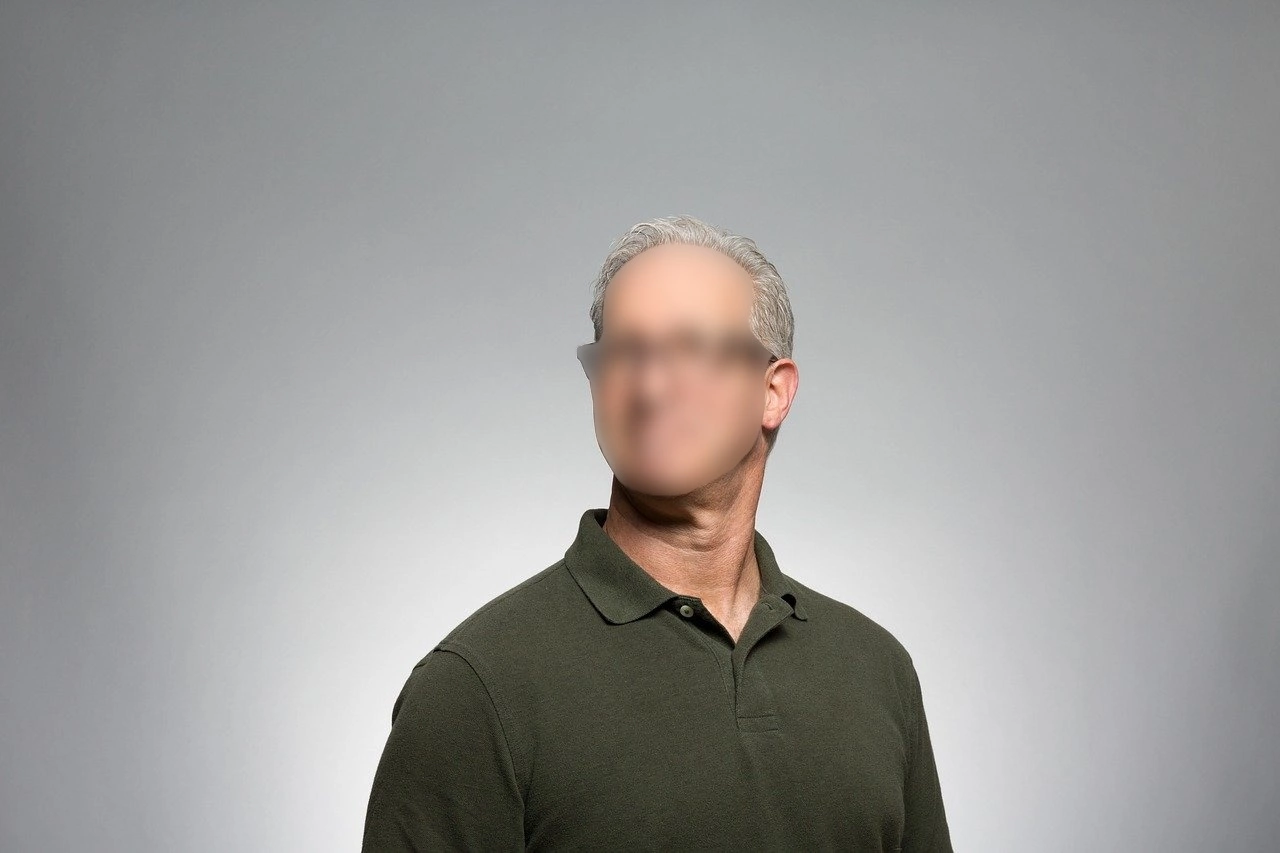
The Face Blur API provides an advanced solution for protecting privacy by blurring faces in images. Utilizing cutting-edge image processing technology, this API detects and applies a blur effect to all faces within an input image, ensuring sensitive information is obscured. Ideal for applications in media, surveillance, and content moderation, the Face Blur API helps maintain anonymity and compliance with privacy regulations. Integrate this API into your platform to offer users a reliable tool for automatic face blurring, enhancing privacy protection in their visual content while producing high-quality desensitized output images.
Privacy Protection: Blurring faces in photos and videos to protect individuals' privacy in public and online spaces. Social Media: Sharing group photos while respecting the privacy of those who do not wish to be publicly identified. Journalism and Media: Protecting the identities of individuals in sensitive news stories or reports. Legal and Law Enforcement: Blurring faces in evidence or court materials to protect the identities of minors or witnesses. Content Moderation: Automatically blurring faces in user-generated content that violates privacy policies. Education and Training: Using real-world examples in educational materials while preserving individuals' anonymity.
High Precision: Accurately identifies and blurs faces while maintaining the quality of the rest of the image or video. Privacy Compliance: Helps users comply with privacy laws and regulations by protecting individuals' identities. Versatility: Suitable for a wide range of applications, from social media to law enforcement. Automated Workflow: Reduces the need for manual editing by automatically detecting and blurring faces. Cost-Effective: Provides a cost-effective solution for ensuring privacy without the need for expensive software or extensive manual labor.
The Face Blur API returns a JSON response containing a `data` object. This object includes the `image_url`, which is a temporary link to the processed image with blurred faces. The response also includes metadata such as `request_id`, `log_id`, and error details if applicable.
The key fields in the response data include `request_id`, `log_id`, `error_code`, `error_msg`, and the `data` object containing `image_url`. The `error_code` indicates the success or failure of the request, while `image_url` provides access to the processed image.
The response data is structured in a JSON format. It consists of top-level fields for request metadata and an embedded `data` object that contains the resulting image URL. This organization allows users to easily access both the outcome and any error information.
The Face Blur endpoint requires the `image` parameter, which must be a file in supported formats (JPEG, JPG, PNG, BMP). Users must ensure the image meets size and resolution requirements to successfully process the request.
Users can customize their requests by ensuring the input image meets the specified requirements, such as format and size. However, the API does not currently support additional parameters for customization beyond the required `image` field.
Typical use cases include blurring faces in social media images to protect privacy, anonymizing individuals in news reports, and ensuring compliance in legal documents. The API is also useful for content moderation in user-generated media.
Users can utilize the returned `image_url` to download or display the processed image with blurred faces. It is important to note that the URL is temporary and should be accessed within 24 hours to avoid expiration.
The Face Blur API employs advanced image processing technology to ensure high precision in face detection and blurring. Regular updates and testing help maintain data accuracy and quality, ensuring reliable performance across various applications.
To obtain your API key, first sign in to your account and navigate to the API you want to use. From the API's Pricing section, choose a plan and complete the subscription process. Once subscribed, return to the API page and you will see your API Access Key displayed at the top of the documentation page. You can use this key to authenticate your requests.
You can’t switch APIs during the free trial. If you subscribe to a different API, your trial will end and the new subscription will start as a paid plan.
The free trial lasts for 7 days and allows you to make up to 50 API requests.
No, the free trial is available only once, so we recommend using it on the API that interests you the most. Most of our APIs offer a free trial, but some may not include this option.
Yes. If the API offers a free trial, you will see a "Free 7-Day Trial" option in its Pricing section. The trial lasts for 7 days and allows up to 50 API requests, enabling you to evaluate the API before subscribing to a paid plan.
Zyla API Hub is like a big store for APIs, where you can find thousands of them all in one place. We also offer dedicated support and real-time monitoring of all APIs. Once you sign up, you can pick and choose which APIs you want to use. Just remember, each API needs its own subscription. But if you subscribe to multiple ones, you'll use the same key for all of them, making things easier for you.
You can monitor your API usage through the response headers included with every request:
x-zyla-api-calls-monthly-used: Shows the total number of API requests you have used during the current billing period.
x-zyla-api-calls-monthly-remaining: Shows the number of API requests you have remaining for the current billing period.
Yes, you can cancel your subscription at any time. Simply go to the Pricing section of the API you're subscribed to and click the "Unsubscribe" button.
Please note that upgrades, downgrades, and cancellations take effect immediately. Once your subscription is canceled, access to the service will end immediately, regardless of any remaining API calls in your quota.
Please have a look at our Refund Policy: https://zylalabs.com/terms#refund


 Run in Postman







